
Train and Run DFlash Speculative Decoding
A simple method to make your local model much faster

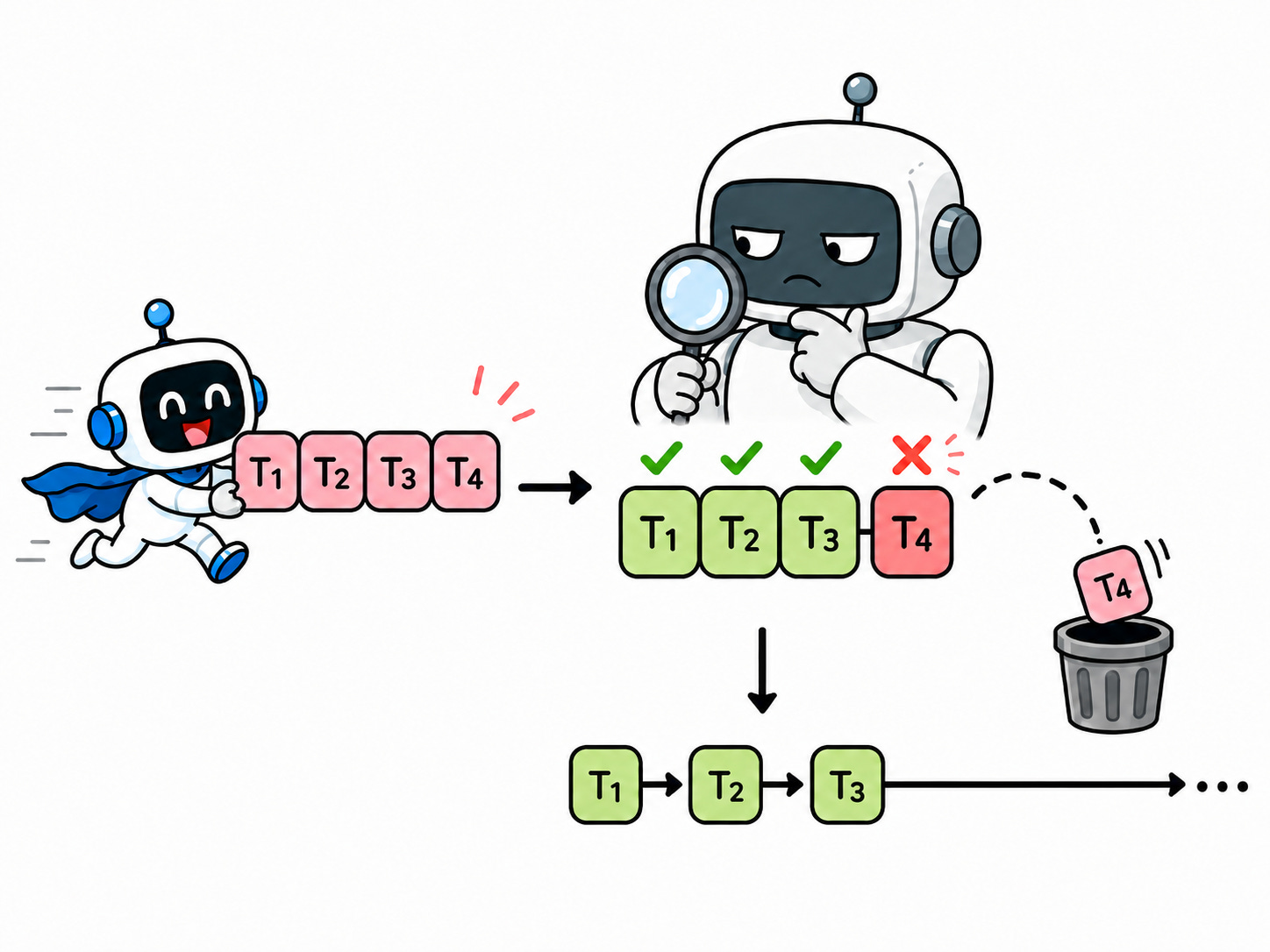
Speculative decoding is becoming a popular way to accelerate LLM inference, with approaches such as MTP and DFlash. The idea is simple: a smaller or specialized draft model proposes future tokens, and the full target model verifies them. Matching tokens are accepted and when a mismatch occurs, only the valid prefix is kept and decoding falls back to the target model.
In a previous article, we covered EAGLE-3, which trains an autoregressive draft model to predict future tokens from verifier hidden states.

Here, we focus on DFlash, which takes a different approach from both EAGLE-style drafting and MTP: it predicts a whole block of future tokens in one forward pass.
We will see how to train our own DFlash speculator and use it for inference.
How DFlash Work
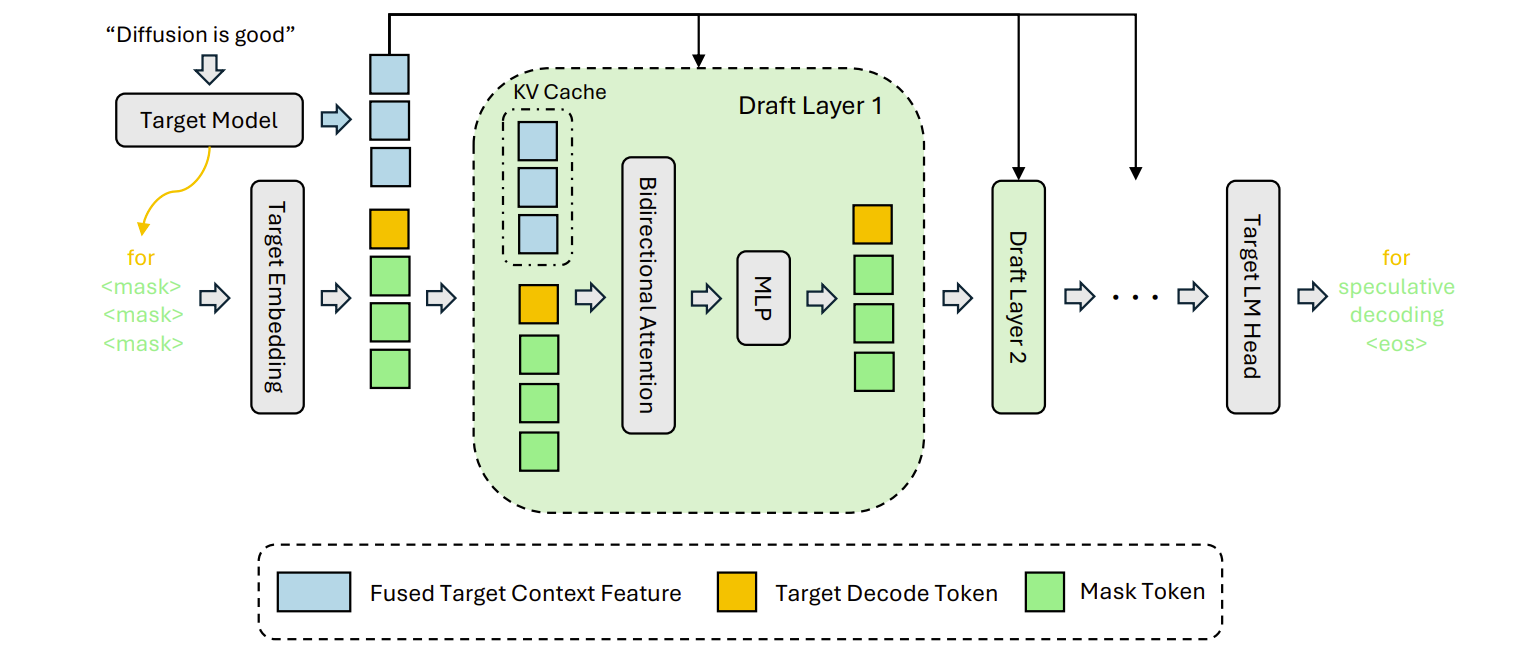
DFlash does not draft tokens autoregressively. Unlike MTP, which adds multi-token prediction heads or objectives to a model, DFlash uses a separate speculator trained to propose a block of future tokens.
The verifier produces hidden states for the current context, and DFlash combines these hidden states with decoded tokens and mask-token positions. It then passes them through its own draft layers and projects the result to the target vocabulary.
Anchors define where token blocks are proposed, and the verifier accepts the longest valid prefix. When acceptance is high, the target model validates several tokens at once instead of decoding them one by one.
At serving time:
The model we want to accelerate remains the verifier / target model.
DFlash proposes a block of future tokens.
The inference engine verifies them with the target model.
Accepted tokens are emitted.
Rejected tokens are discarded, and decoding falls back to normal target-model decoding.
Here is the paper describing how it works in details:
DFlash: Block Diffusion for Flash Speculative Decoding
Why Train Your Own?
Even if public checkpoints are available, training your own DFlash model can be worthwhile. Speculative decoding speed depends heavily on how many draft tokens the verifier accepts. If your workload uses a different chat template, domain, decoding style, tool format, or reasoning mode, a generic checkpoint may have lower acceptance.
Training on your own traffic can improve acceptance length and turn DFlash from a benchmark trick into a production speedup.
Tutorial Setup
Frameworks
This tutorial uses vllm-project/speculators (commit 3f8cef0; that’s important to reproduce my exact setup) to train a DFlash speculator for google/gemma-4-31B-it, whose configuration uses 60 text layers, hidden_size=5376, hidden_activation=gelu_pytorch_tanh, and vocab_size=262144. Note: I tried the same recipe with Qwen3.6 but it doesn’t seem supported yet by speculators. vLLM yields KV cache-related errors when extracting the hidden states. An alternative that would work: offline extraction of the hidden states with Transformers instead of vLLM, but this is much slower and more manual.
GPUs
I used two RTX Pro 6000 GPUs provided by Verda. Smaller GPUs may also work, but in practice online training requires at least two GPUs: one for inference and hidden-state extraction, and one for training the DFlash model.
For larger models or stronger speculators, you should use more GPUs or larger GPUs. If you want to train a highly effective speculator for your own workload, a 4-GPU setup is a good starting point. For a ~30B-parameter model, for example, 4x H100s should work very well.
To help you reproduce the tutorial, I’m sharing a Verda coupon in collaboration with them. The coupon gives you $35 in credits to try their platform. That is enough to run an RTX Pro 6000 for almost a full day, or a B200 for about 7 hours.
Coupon code: KAITCHUP-35
Follow these instructions to redeem it in your Verda account.